
Platform — Approvals
Approvals & Workflows
Define approval workflows for leave, payroll, document requests, onboarding and HR actions. Multi-level approvals with email notifications, escalation rules and a complete audit trail.
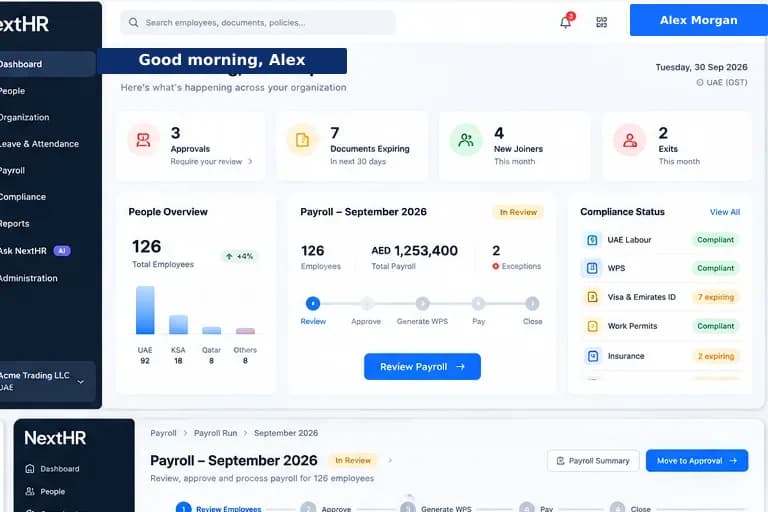
Structured approval workflows for every HR action — with full audit trail and escalation paths.
Multi-Level Approvals
Configure approval chains with one or more levels. Leave may need the direct manager; payroll may require finance + HR director sign-off.
Email Notifications
Automatic email notifications to approvers when an action is pending. Reminders sent if approvals are overdue.
Escalation Rules
If an approver has not acted within a configured time window, the request escalates automatically to the next level or an alternate approver.
Audit Trail
Every approval decision is logged — who acted, when, what they approved or rejected, and any comment they added. Permanent and tamper-evident.
Workflow Configuration
Approval workflows are configurable per entity, department, leave type or payroll run — matching your actual org structure.
Parallel Approvals
Configure sequential or parallel approval steps. Some workflows can require all approvers to act; others need only one in a group to approve.
Delegated Approvals
When an approver is on leave, their approval authority can be delegated to a nominated alternate for the absence period.
Approval Reports
Pending approvals, average approval times, workflow bottlenecks and approval history reports for HR governance.
How it works
How approvals flow through NextHR
Employee or HR initiates action
An employee submits a leave request, an HR admin creates a payroll run or a document is sent for approval — triggering the relevant workflow.
Notification sent to approver
The first approver in the chain receives an email notification. They can review the request and any supporting information before acting.
Approver reviews and decides
The approver approves, rejects or requests more information. Each action is recorded with a timestamp and optional comment.
Next level notified
If multi-level, the next approver is notified once the previous level has approved. The chain continues until all required sign-offs are complete.
Escalation if overdue
If an approver has not acted within the configured window, the request escalates automatically. HR admins can also manually escalate.
Action completed or rejected
Once all approvals are received, the action completes. If rejected at any level, the initiator is notified with the reason.
Key benefits
What you get with NextHR
- Configurable approval workflows for all HR actions
- Multi-level sequential and parallel approval support
- Email notifications and automatic escalation reminders
- Automatic escalation for overdue approvals
- Full audit trail for every approval decision
- Delegated approvals when approvers are absent
- Approval reporting for HR governance and compliance
- Integration with leave, payroll and document modules
Built for the GCC
GCC organisations often have complex approval hierarchies — approvals may require multiple levels including local HR managers, regional HR directors, finance controllers and the CEO depending on the action type and cost. NextHR approval workflows are configurable per entity so your approval chains reflect your actual organisational structure, not a rigid default.
FAQ
Frequently asked questions
Can I have different approval rules for different leave types?
Yes. You can configure separate approval workflows per leave type — for example, annual leave might need only the direct manager, while sick leave documentation may have an additional HR review step.
What happens if an approver is on holiday?
You can configure delegation: when an approver's leave is approved, their approval authority transfers to a nominated delegate for the absence period. This prevents approval bottlenecks during peak leave seasons.
Is there an audit log for all approval decisions?
Yes. Every approval action — who approved or rejected, the timestamp and any comment — is permanently logged and linked to the original request. This provides a complete audit trail for governance, compliance and dispute resolution.
Can payroll approval require multiple sign-offs?
Yes. Payroll approval workflows support multi-level sign-off — for example, payroll admin review, then HR manager approval, then finance director final approval before the payroll period is locked and SIF files are generated.
Ready to get started?
Explore Approvals & Workflows as part of the complete NextHR platform.